


Block Craft 3D: Realm Builder
3.668.00 Reviews
App Specs
- Version
- 1.5.9
- Updated On
- License
- Free
- Downloads
- 10,000,000+
- Developer
- Metagame.Ltd
- Categories
- Simulation
- Platform
- Android
Screenshots

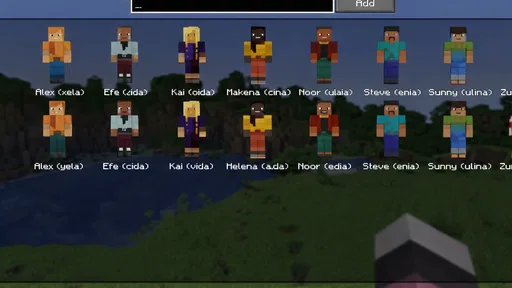
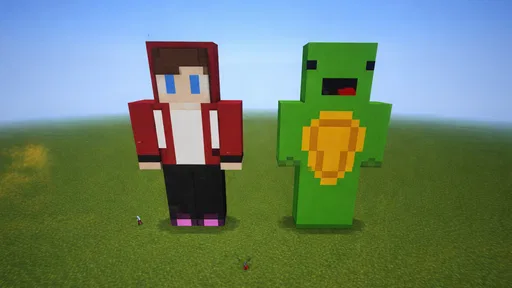
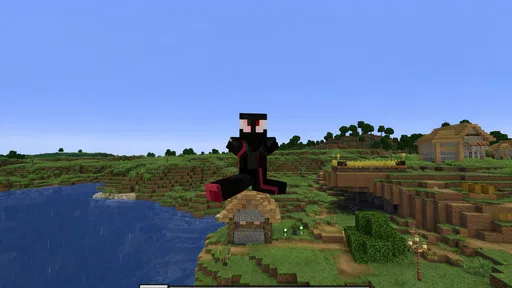
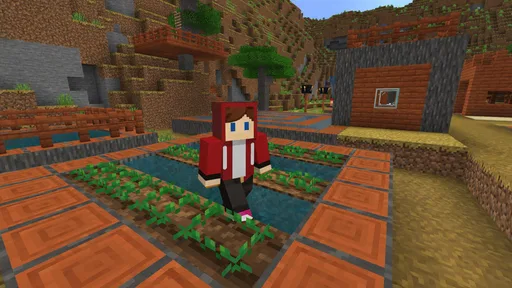
 Analysis by AppCompare
I usually judge a building game by what it feels like to do one small task, not by how grand its world sounds. In Block Craft 3D: Realm Builder, that task might be placing a few blocks after a busy day, or spending longer shaping a place you want to revisit. Its touch-first approach makes the idea approachable, though the experience still depends on whether you enjoy planning and adjusting a build on a phone screen.
Starting small makes the controls easier to read
The first moments are useful because the brief tutorial shows the basic rhythm of moving around and crafting. I’d treat it as a hands-on orientation rather than something to rush through: try placing blocks, turning toward a nearby surface, and checking how the view responds before starting a detailed design. A little practice at the beginning can save frustration later, especially when you are working in a confined spot and need to line up placements carefully.
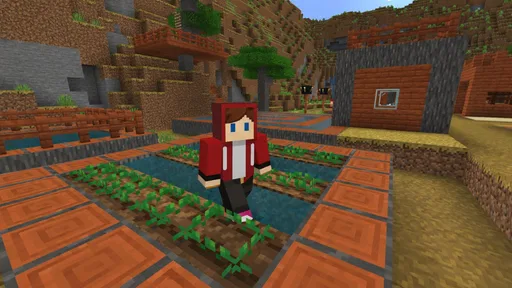
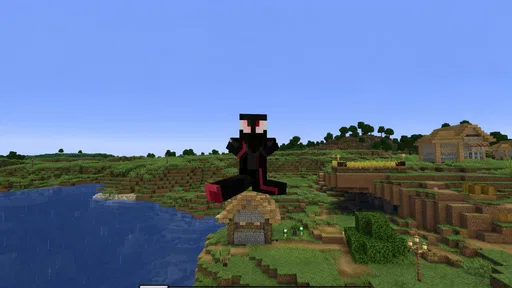
The block-based presentation also helps make the world visually legible. Individual pieces are distinct enough to support the central activity of choosing and arranging materials, while the colorful, pixel-inspired look keeps the scene friendly rather than realistic or cluttered. That said, a clear visual style is not the same as a dedicated accessibility setting. If you rely on larger interface text, strong contrast, or screen-reader guidance, I would check the game on your own device before committing to a long session.
Touch play rewards a steady pace
For motor comfort, I find the best approach is to build in short, deliberate movements: position yourself, make a small placement, then look again before continuing. That habit matters more on a phone than it might with a mouse, where fine corrections are easier. Broad structures such as walls or simple paths are natural early projects; intricate roofs and tightly packed decorations demand more repeated aiming and patience.
This makes the game a better fit for relaxed experimentation than for players who want precise, fast construction. If your hands tire during repeated tapping, a compact project with clear edges can be more satisfying than a sprawling design. I also wouldn’t assume that every player will find the controls equally comfortable: device size, grip, and personal dexterity all affect how easy it is to place blocks accurately.
A useful game for short breaks, with a few conditions
One everyday way I’d use it is as a low-pressure evening activity: sketch out a small cottage, make a simple courtyard, and stop when the next step starts feeling like work. That kind of self-directed session is a strength because you can set your own goal rather than needing to keep pace with a competitive match. The same freedom can be a drawback if you prefer clear instructions or a defined ending; an open building game asks you to supply much of the motivation yourself.
It may suit families and younger players looking for a gentle creative activity, but I’d still consider the screen and play context. The age rating is Everyone, which makes the intended audience broad, while the presence of optional purchases is worth discussing with a child before play. For a shared device, agreeing that purchases need permission is a sensible boundary. It is free to start, with in-app items priced from 49 cents to $14.99 each, so spending is optional but not irrelevant.
Worth Reading Before You Choose

Flipboard Shows What News Apps Must Do Beyond the Feed

Switching to Android Auto Means Rethinking Your Driving Routine

Google Calendar Makes a Crowded Week Easier to Manage

Ludo King Makes the Most of the Minutes Between Plans

Baby Panda World Brings Quick Play to Modern Phones, but Its Game Library Feels Busy

ESPN’s Live Game View Makes Following Close Games Easier
How it differs from other building games
Compared with a survival-focused block game, this one is more appealing when your main aim is to make a place look the way you want, rather than manage danger or resources as the central challenge. Compared with a pure sandbox tool, its quests and rewards provide some direction for players who like having a reason to try a new task. The trade-off is that anyone seeking deep simulation, complex engineering, or a tightly structured campaign may find that a casual builder does not offer the kind of challenge they want.
I’d also separate inspiration from imitation when visiting other players’ creations. Looking at a build can help you notice practical choices—how a doorway sits in a wall, how repeated block patterns create visual rhythm, or how a small yard makes a house feel finished. Rather than trying to reproduce a huge structure all at once, borrow one detail and adapt it to a smaller project. That keeps the work manageable and helps you develop a style of your own.
Let’s Get Building!
First things first, Block Craft 3D: Realm Builder is all about bringing your creative visions to life. Imagine a world where you can build anything your heart desires—from towering castles to cozy little cottages. The game gives you an open world to explore and craft, and the best part? It’s super easy to jump right in!
When you start the game, you’re greeted with a simple tutorial that quickly gets you up to speed. You’ll learn how to navigate the world and start crafting with just a few taps. The controls are intuitive, making it perfect for both beginners and seasoned builders. Trust me, you’ll be crafting like a pro in no time!
Dive Into the Details
Now, let’s talk about what really makes this game shine—the details. The graphics are charmingly pixelated, reminiscent of classic block-building games, but with a modern twist. The colors are vibrant and the animations are smooth, making the entire experience super engaging.
One thing I really appreciate is the variety of blocks and items available. Whether you’re building a medieval fortress or a futuristic city, you’ll find everything you need in the game’s extensive library of materials. Plus, the game continually updates, adding new items to keep your creativity flowing.
Community and Creativity
Another cool feature is the community aspect. You’re not just building in isolation; you can visit other players’ creations and get inspiration from their designs. It’s like having a global community of builders right at your fingertips. And if you’re feeling proud of your work, you can share your own creations for others to explore.
The social component adds a whole new layer of fun. You can even collaborate with friends to build massive projects, making it a great way to connect with fellow gamers. It’s all about sharing ideas and bringing them to life together.
In-Game Challenges and Rewards
To keep things interesting, Block Craft 3D: Realm Builder includes various challenges and quests. Completing these tasks not only helps you hone your building skills but also rewards you with coins and gems. These rewards can be used to unlock special items and features, adding a nice touch of progression to the game.
And don’t worry about running out of things to do—the game is packed with endless possibilities. Whether you’re tackling a new quest or simply exploring, there’s always something new to discover.
Accessibility and Monetization
Now, let’s chat about accessibility. The game is available on both Android and iOS, making it easy to download and start playing. It’s free to play, which is fantastic, but like many games, it does offer in-app purchases. While these purchases can enhance your experience, they’re not necessary to enjoy the game. You can still have a blast without spending a dime.
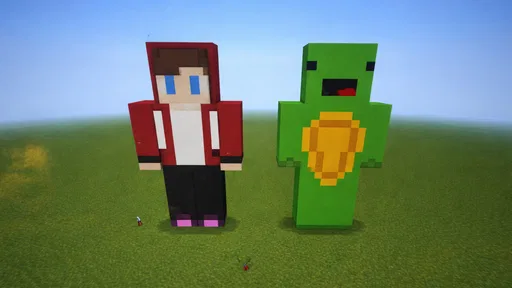
For those who enjoy customizing their experience, there are plenty of optional purchases available. From special blocks to unique character skins, these extras can add a fun twist to your gameplay.
Choosing the right device and session
For a casual player, the practical question is whether this is comfortable to play in the situations when you actually have time for it. A phone is convenient for a quick visit or a small build, while a larger screen can make it easier to judge spacing and see a wider area at once. If you are playing on the go, I’d keep the goal modest: finish one wall, arrange a small room, or explore briefly instead of starting a project that needs a long, uninterrupted stretch.
For someone who benefits from fewer visual distractions, the block world’s simple shapes may be easier to parse than a highly detailed 3D environment. But bright colors and animated scenes can still feel busy, and I wouldn’t describe that visual style as universally comfortable. Taking breaks and choosing a small, clearly bounded task can help keep a session from becoming tiring. If you need specific accessibility controls to play comfortably, test the controls and display on your own device first.
What to expect from the free-to-play structure
Because the game is free to play, it is easy to try without making a purchase up front. I’d approach optional items as extras rather than requirements: decide what you want from the game before spending, and avoid buying something simply because it appears while you are focused on a build. The purchase range runs from 49 cents to $14.99 per item, so the higher-priced options are a meaningful choice. Younger players may benefit from an adult setting clear purchase rules before they begin.
There is also a useful distinction between having more things to unlock and having a better creative idea. A new item can give a build a different look, but it does not replace a plan. Before using a reward or considering a purchase, I’d pick a theme and decide what the project needs: a focal point, a path through the space, or a repeated material pattern. That keeps customization from turning into a collection of unrelated decorations.
Who will enjoy it—and who may want another kind of game
I’d recommend this to someone who likes making places at their own pace, enjoys block-based visuals, and doesn’t mind learning by trying. It can be a pleasant choice for a short creative break, for a younger player with sensible purchase boundaries, or for a builder who likes browsing other people’s work for ideas. The developer is Metagame.Ltd, and the game sits in the simulation category, although its appeal is more about personal creation than reproducing a detailed real-world process.
I’d point a player elsewhere if they want tightly guided levels, competitive action, or detailed control over every part of a construction. A more structured puzzle game is likely to be a better fit for someone who wants a clear solution and finish line; a more demanding sandbox may suit players who want deeper systems. Those are not faults so much as different expectations. The central question is whether making and revising your own small world sounds relaxing or aimless to you.
Final Thoughts
All in all, Block Craft 3D: Realm Builder is a delightful game that invites players to unleash their creativity. With its user-friendly controls, vibrant graphics, and community-driven features, it’s a game that’s hard to put down. Whether you’re a casual gamer or a building enthusiast, there’s something here for everyone.
So, why not give it a try? Let your imagination run wild and see what incredible creations you can come up with. Happy building!
Its audience is broad: the game is rated Everyone, has an average rating of 3.6 from around 5,000 ratings, and has passed 10 million installs. It was released on April 2, 2025, and version 1.5.9 requires Android 9 or later. Those details make it easy to place the game in context, but they do not change the personal fit question: try it if a calm, touch-based building session appeals to you, and choose another option if you need precise accessibility controls or a more goal-driven experience.
Pros
- Highly customizable building options.
- Vibrant and engaging graphics.
- Simple and intuitive controls.
- Frequent updates with new features.
- No mandatory in-app purchases.
Cons
- Limited multiplayer interaction.
- Ads can be intrusive at times.
- Resource gathering can be slow.
- Some features require real money.
- Occasional performance lags.
FAQs for Block Craft 3D: Realm Builder
What is the main objective of Block Craft 3D: Realm Builder?
Block Craft 3D: Realm Builder is a sandbox game that allows players to unleash their creativity by constructing various structures using blocks. The main objective is to design and build your own virtual city or world, exploring new ideas and sharing your creations with other players. It's about creativity, exploration, and collaboration.
Is Block Craft 3D free to play, and does it include in-app purchases?
Yes, Block Craft 3D: Realm Builder is free to download and play on both Android and iOS platforms. However, it does offer in-app purchases for players who wish to enhance their gaming experience. These purchases can include additional resources or special features, but they are optional and not necessary to enjoy the game.
Can I play Block Craft 3D: Realm Builder offline?
Block Craft 3D: Realm Builder does offer offline gameplay, allowing you to build and create without an internet connection. However, to access certain features like community creations or updates, an internet connection is required. This makes it convenient for players who want to play on the go without relying on constant connectivity.
What are the system requirements for Block Craft 3D on mobile devices?
Block Craft 3D is designed to run on both Android and iOS devices. For Android, it requires version 4.0.3 and up, while iOS devices need iOS 9.0 or later. The game is optimized to perform well on most smartphones and tablets, ensuring smooth gameplay without demanding high-end hardware.
How does the multiplayer aspect of Block Craft 3D work?
Block Craft 3D includes a multiplayer feature that allows players to visit each other's worlds and collaborate on projects. You can explore other players' creations, share your own designs, and even work together on building projects. This social aspect adds a layer of interaction and creativity, making the game more engaging and community-focused.


